


Quick Summary
Health Canada licensed medical equipment is a device reviewed and authorized for sale in Canada under the Medical Devices Regulations, and it appears in the public Medical Devices Active Licence Listing (MDALL). To verify a device, search its licence number, device name or manufacturer in MDALL and confirm the record matches your exact product.
- Search MDALL by licence number first, since it is the most precise route.
- Confirm the licence status is active before relying on the record.
- Match the manufacturer, model and configuration to the product you are buying.
- Save the record with the date you checked it as procurement evidence.
- Verify a kit standard such as CSA Z1220-17 separately from device licensing.
Table of Contents
- Health Canada Licensed Medical Equipment: How to Verify It
- What Health Canada Licensed Medical Equipment Means
- Medical Device Licensing Requirements in Canada
- Step-by-Step: Running a Health Canada Licence Lookup in MDALL
-
When a Device Is Missing or Its Listing Looks Outdated
- First, rule out a search problem
- Second, check whether the product changed
- Third, request the current licence record from the supplier
- Fourth, decide what a missing listing means for your purchase
- Fifth, escalate when the status remains unclear
- What evidence to retain
- Pair the licence check with post-market safety checks
- Workplace First Aid Kit Requirements and Licensed Equipment
- Building Your Buyer Checklist Before You Purchase
- Frequently Asked Questions
Health Canada Licensed Medical Equipment: How to Verify It
Last Updated: November 5, 2026
What Health Canada Licensed Medical Equipment Means
Health Canada licensed medical equipment is a device that has been reviewed and authorized for sale in Canada under the Medical Devices Regulations, and it is listed in the public Medical Devices Active Licence Listing (MDALL) (Medical Devices Active Licence Listing (MDALL)).
Many workplace buyers use the word "licensed" loosely. Before you search, it helps to separate four terms that often get mixed together.
Licensed, authorized, approved, and compliant: what the terms mean
- Licensed usually refers to a medical device licence (MDL) issued by Health Canada for a specific product, or a medical device establishment licence (MDEL) issued to a manufacturer, importer or distributor.
- Authorized is a general word for permission to sell; in Canada the formal permission is the licence itself.
- Approved is often used by sellers, but it is not the regulatory term. Confirm the actual licence rather than accepting the word "approved" alone.
A reliable check looks for a licence number that can be found in MDALL. Keep the terms distinct when you write procurement notes so that a product is never described as compliant when only a general claim exists.
Medical Device Licensing Requirements in Canada
Medical devices in Canada are regulated by Health Canada under the Medical Devices Regulations. Devices are grouped by risk, and the risk class determines what licence is needed.
Risk classes I to IV and which devices need a licence
Health Canada sorts devices into four classes. Class I devices present the lowest risk and Class IV devices the highest (Guidance Document - Guidance on the Risk-based Classification System for Non-In Vitro...). Many simple first aid items fall into lower classes, while devices such as defibrillators and some oxygen equipment carry higher classifications. Check the classification in the device's licence record rather than assuming it from the product type.
Product licences (MDL) and establishment licences (MDEL)
Two licence types matter for buyers:
- A medical device licence (MDL) authorizes a specific product for sale in Canada.
- A medical device establishment licence (MDEL) authorizes a company's facility to import, distribute or manufacture devices.
A supplier may hold an MDEL without each product carrying its own MDL, and a product may carry an MDL under a different company name. Ask for both numbers where relevant.
Step-by-Step: Running a Health Canada Licence Lookup in MDALL
The Medical Devices Active Licence Listing (MDALL) is Health Canada's public database of licensed devices. Most buyers stop at "search the name and see if it appears." That is not enough to confirm a specific product. The process below shows how to search, how to read a record, and how to match the listing to the exact item you intend to buy.
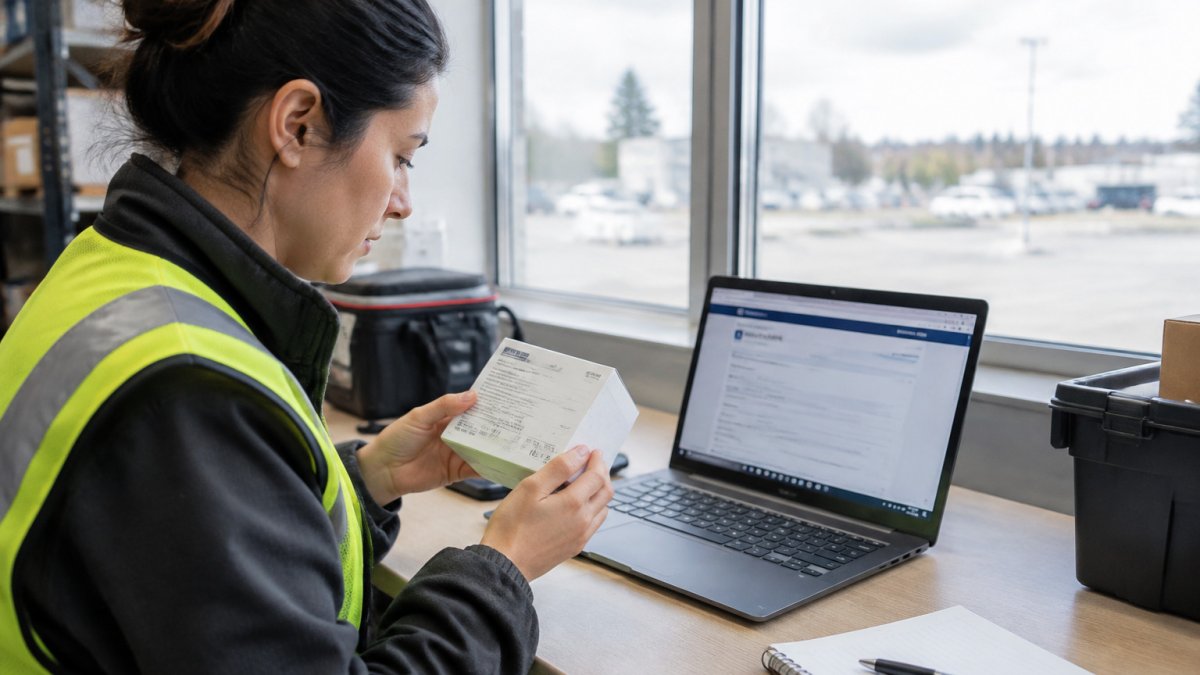
Before you search: gather the four identifiers
A reliable lookup starts with the identifiers printed on the product or supplied by the seller. Collect as many of these as you can:
- Licence number, the eight-digit number on the label, packaging or instructions for use.
- Device name, the name as it appears on the label, not the marketing name on a website.
- Manufacturer name, the legal manufacturer, which may differ from the brand or distributor.
If the seller cannot provide a licence number, ask for the manufacturer name and model number instead. A licence number alone is not proof; it must match the product in front of you.
Searching MDALL by the available fields
MDALL lets you search by more than one field. Use the field that matches what you have:
- By licence number, the fastest and most precise route when you have the number from the label. Enter it exactly as printed, without spaces or dashes.
- By device name, useful when you have no number. Use the name on the label rather than a generic category, and try variations (for example, "resuscitator" versus "bag valve mask").
- By manufacturer or company name, helpful when you know the maker but not the product name. Company names in the database may differ from brand names, so try the legal entity name.
- By device class or other filters, narrows a long result list when a company holds many licences.
Open each candidate record and compare it against your four identifiers. A record that shares a name but lists a different manufacturer or model is not confirmation of your product.
Reading a licence record
A typical MDALL record shows the licence number, the device name, the manufacturer, the device class, the licence status and the licensed configuration or intended use. Read the record in this order:
- Status, confirm the licence is active. An expired or cancelled licence is not current authorization.
- Manufacturer, confirm the legal manufacturer matches the product label, not just the distributor.
- Device name and model, confirm the name and any model or catalogue reference match what you are ordering.
Watch out: a record can be active for one configuration while a different size, kit contents or accessory sold under the same product family is not covered, match the configuration, not just the name.
Matching the listing to the exact product and configuration
A licence can cover a specific configuration, such as a particular size, mask type or kit contents. Compare the licensed description field by field with what you are ordering:
- For a single device, confirm the model or catalogue number and the size or type.
- For a kit, confirm each licensed component separately, because a kit can combine items with different licence holders.
- For a renamed or rebranded product, confirm whether the licence was transferred to a new holder or the product was superseded.
Save or print the record, note the date you checked it, and keep it with your procurement file. That record is your evidence if a question arises later about what was licensed at the time of purchase.
Finding the licence number on a product
Look for the licence number on the product packaging, the label or the instructions for use. A number printed on the box is a starting point only; always confirm it in MDALL. If no number appears, request it from the supplier before purchase, along with the manufacturer name and model number so you can search independently.
The table below summarises the lookup steps so you can scan what to check at each stage.
| Step | What to do | Note |
|---|---|---|
| Gather identifiers | Collect licence number, device name, manufacturer, model | Licence number is eight digits |
| Search by licence number | Enter it exactly as printed | Fastest and most precise route |
| Search by device name | Use the name on the label | Try spelling variations |
| Search by manufacturer | Use the legal entity name | Names may differ from brand |
| Read the record | Check status, manufacturer, model, class | Confirm the licence is active |
| Match configuration | Compare size, kit contents, accessories | A licence covers a specific configuration |
| Keep evidence | Save the record and check date | Proof if questions arise later |
When a Device Is Missing or Its Listing Looks Outdated
A product that does not appear in MDALL, or whose record looks stale, is a common and often manageable situation. It does not automatically mean the device is unlicensed, and it does not automatically mean it is safe to buy. The workflow below helps you reach a defensible answer rather than a guess.
The BAG II Resuscitator Adult w/mask #5 →
First, rule out a search problem
Most "missing" results are search problems, not licensing problems. Before concluding anything, try:
- Alternative spellings and names, the label name, the manufacturer's name and any former product name.
- The licence number, if you have it, search by number rather than name.
- The legal manufacturer, company names in the database may differ from brand names or distributor names.
If the product still does not appear, move to the checks below.
Second, check whether the product changed
A product can drop out of a name search because it was renamed, transferred to a new licence holder, or superseded by a newer model. Ask the supplier whether the product was renamed, whether the licence was transferred, and whether a successor model carries the current licence. Once the successor model’s licence is confirmed, the same careful attention to current procedures can help verify clinic safety standards.
Third, request the current licence record from the supplier
Ask the supplier for the current licence record and the date it was last confirmed. A credible supplier can provide the licence number, the manufacturer name and the model or catalogue number, and can point you to the matching MDALL record. If the supplier cannot provide a licence number or a matching record, treat the licensing claim as unverified.
Fourth, decide what a missing listing means for your purchase
A missing listing can reflect several situations: the device may be licensed under a different name or holder, the listing may be temporarily unavailable, or the product may not hold a device licence at all. Some products sold for workplace use are not medical devices and therefore do not appear in MDALL, a first aid kit assessed against a kit standard is a common example.
Fifth, escalate when the status remains unclear
If the status remains unclear after the checks above, contact the supplier in writing and, where needed, contact Health Canada for guidance on the device's licensing status. Keep a record of the questions you asked and the answers you received. That record protects you if the device's status is questioned later.
What evidence to retain
Keep a short verification file for each licensed device you buy:
- The MDALL record, saved or printed, with the date you checked it.
- The licence number, manufacturer name and model or catalogue number.
- The supplier's written confirmation of the licence and the date it was last confirmed.
Pair the licence check with post-market safety checks
A licence confirms authorization to sell; it does not confirm that a specific lot is free of problems. Review Health Canada recall and safety advisory notices as part of the same check, because a licence can be active while a specific lot is subject to a recall. Record the date of the recall check alongside the licence check so your file shows both were done at the time of purchase.
Workplace First Aid Kit Requirements and Licensed Equipment
Workplace first aid kits in Canada are often assessed against CSA Z1220-17, which sets content requirements for workplaces (Z1220-17 (R2021) | Codes & Standards | Product). Licensed components, such as an oxygen mask or resuscitator, should be verified through MDALL even when the kit itself is assessed against the CSA standard.
Servoxy's range includes items you can check directly, such as the BAG II Resuscitator Adult w/mask #5, which is listed as a Health Canada licensed medical device. For a reference to the CSA-compliant kit requirements, see our CSA compliant first aid kit requirements guide. Workplaces that need a kit sized for a particular headcount can review the CSA Z1120-17 Type 2 first aid kit for low-risk workplaces with 26-50 workers to see how it is configured.

Kit requirements vary by workplace risk and province, so confirm the current standard with the applicable authority before ordering.
Building Your Buyer Checklist Before You Purchase
A simple checklist keeps procurement consistent across sites and vehicles:
- Confirm the product's licence number in MDALL.
- Check that the licence record is active and matches the configuration you are buying.
- Verify the supplier's MDEL, where applicable.
For a fuller verification process, see our guide to seven steps to verify first aid compliance. Buyers equipping defibrillators for a business can review the Canadian business AED package for offices, workplaces and schools, and fleet managers sourcing vehicle kits can read our article on equipping emergency medical kits for a small fleet.

Frequently Asked Questions
What does it mean for medical equipment to be licensed by Health Canada?
A Health Canada licence means the device's manufacturer or importer has submitted information to Health Canada and received authorization to sell it in Canada. The licence is tied to a specific device, its intended use, and its risk class. Licensing does not by itself guarantee performance in every setting, so buyers should still check that the device matches the use they intend. Verify the status yourself in the Medical Devices Active Licence Listing (MDALL) rather than relying on a supplier's statement.
How can I check whether a medical device has an active Health Canada licence?
Search the Medical Devices Active Licence Listing (MDALL) on the Health Canada website. You can search by device name, manufacturer, or licence number. Confirm the listing shows an active status, that the device name and manufacturer match the product you plan to buy, and that the listed configuration matches the model number. If a device cannot be found, check the spelling, try the manufacturer name, and contact the supplier for the exact licence number.
Which medical devices require a licence in Canada?
Most medical devices sold in Canada require a medical device licence under the Medical Devices Regulations, with the level of scrutiny set by risk class. Class I devices are lowest risk and some are exempt from a full licence, while Class II, III, and IV devices require licence applications of increasing detail. Manufacturers and importers also need a Medical Device Establishment Licence (MDEL). Check the Health Canada classification guidance for a specific device rather than assuming its class.
Is Health Canada-licensed equipment the same as Health Canada-approved equipment?
In everyday use the two phrases are often swapped, but they are not identical. A licensed device appears on Health Canada's active licence listing with a licence number. The word approved is sometimes used loosely by suppliers and does not necessarily mean a current MDALL listing exists. Compliant describes meeting a requirement in general. For procurement, ask for the licence number and confirm it in MDALL.
How do I find a medical device's licence number?
The licence number is usually printed on the device packaging, the instructions for use, or the product label, and it is also shown in the MDALL record once you find the device. Suppliers should provide it on request. If you cannot locate it, search MDALL by manufacturer and device name and compare the listed model details against the product in hand.
Do first aid kits need a Health Canada medical device licence?
Not every item in a first aid kit is a licensed medical device. Bandages and some basic supplies may fall outside licensing, while devices such as oxygen masks, resuscitators, and defibrillator pads are regulated medical devices that should carry a valid licence. Workplace first aid kit requirements in Canada are set by provincial occupational health and safety rules and CSA Z1220-17, so check your provincial regulator for what your site must stock. Verify licensed items individually in MDALL.
What should workplaces check before buying medical equipment?
Check that each regulated device is listed and active in MDALL, that the licence number matches the product, and that the manufacturer or importer holds a valid MDEL where applicable. Confirm the device suits your intended use, such as adult versus pediatric sizing, and keep the licence record with your procurement file. Ask the supplier for written documentation if anything is unclear.
How can I verify a medical device licence using MDALL?
Open the MDALL search on the Health Canada website and enter the device name, manufacturer, or licence number. Open the matching record and review the status, licence holder, device description, and model details. Save or print the record for your files. Because listings can lag behind recent changes, also check the manufacturer's current documentation and any Health Canada recall or safety advisory before purchase.
